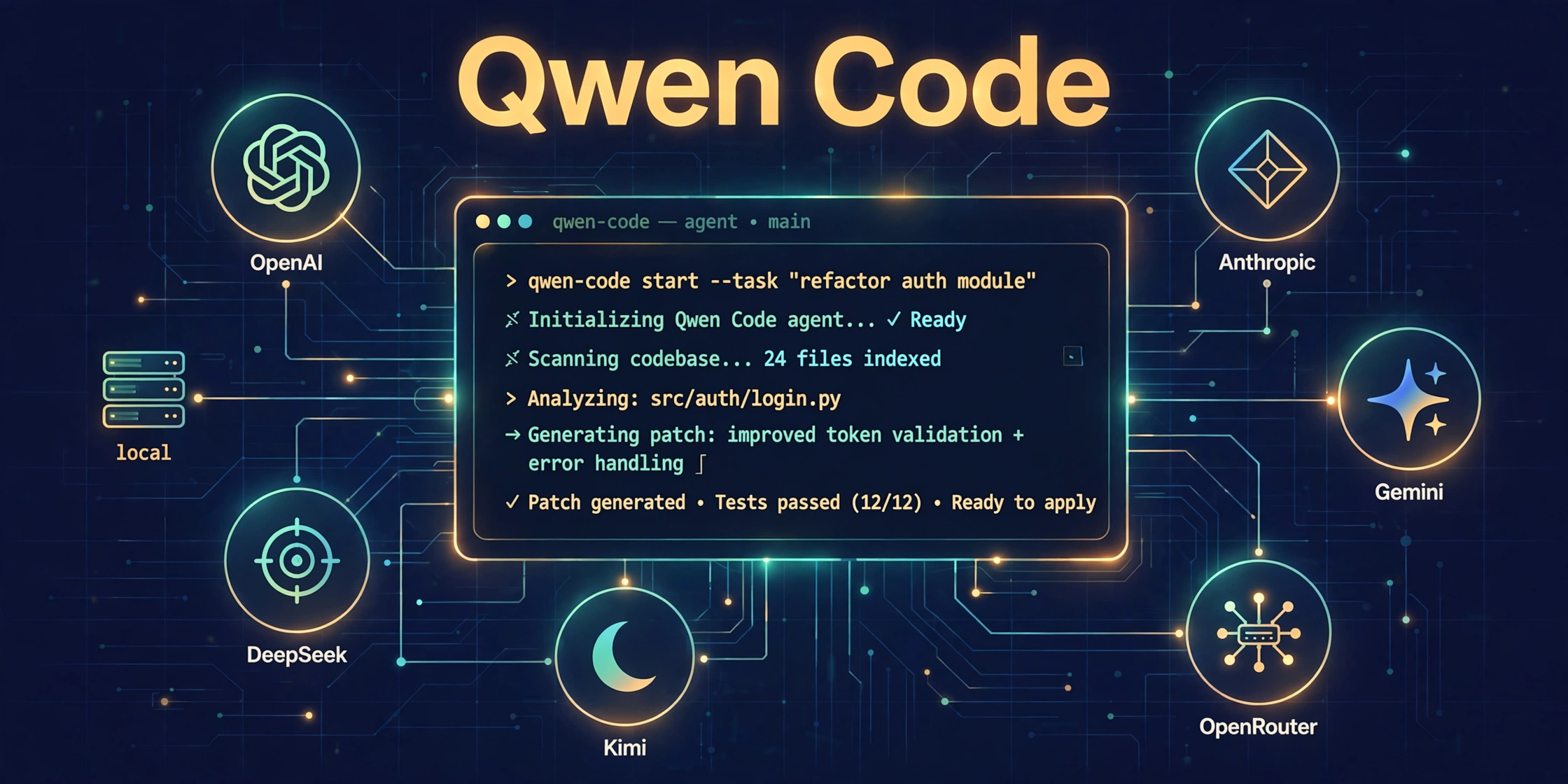
Monday morning, you open your terminal and ask your AI agent to fix a bug. The agent answers: quota exhausted. You switch accounts, then realize this month’s API bill has already blown past the team budget — and your code still has to leave your machine for a single vendor’s cloud, because the agent you use only speaks to one company. One provider, a climbing bill, code off your machine: the three prices of a coding agent that runs only one model.
Qwen Code removes all three. It is Alibaba’s open-source coding agent in your terminal, but it talks to OpenAI, Anthropic, Gemini, Qwen, DeepSeek, Kimi, OpenRouter — and local models via Ollama or vLLM. Switching models does not mean switching agents. This guide covers installation, multi-model setup, and local runs, with the pitfalls checked against the official docs.
What is Qwen Code
Qwen Code is an AI coding agent that lives in your terminal: you describe the work in plain language, the agent plans, reads code, edits files, runs commands, and verifies the result. The repo QwenLM/qwen-code was created in June 2025, forked from Gemini CLI and then developed independently, under the Apache 2.0 license. As of November 14, 2026, it has about 30,100 stars and 3,400 forks.
The biggest difference from Claude Code or Codex: Qwen Code does not lock you to one model vendor. It supports several protocols — OpenAI, Anthropic, Gemini, Qwen — plus any OpenAI-compatible endpoint, including a local server. Declare models in one config file, then switch mid-session with /model, without leaving the agent.
flowchart LR
    U["You type in the terminal"] --> Q["Qwen Code agent"]
    Q --> R["/model: pick a provider"]
    R --> A["OpenAI / Anthropic"]
    R --> B["Gemini / Qwen"]
    R --> C["DeepSeek / Kimi / OpenRouter"]
    R --> D["Ollama / vLLM local"]
    Q --> T["Tools: read files, run commands, MCP"]
    T --> U
Beyond the terminal there is a desktop app for macOS, Windows, and Linux, a Web Shell (qwen serve --open), a VS Code extension in beta, integrations for Zed and JetBrains, and headless mode qwen -p "..." for scripts and CI. Version 1.0 is in preview (since November 11, 2026); the latest stable is v0.27.3, published November 13, 2026.
Qwen Code has SubAgents, Agent Teams, Auto-Memory, Auto-Skills, Hooks, MCP, Plan Mode, LSP integration, Auto Mode, Sandbox, Git Worktrees, and Computer Use — the full set of a modern coding agent. Extras: Agent Arena, where two models do the same task head-to-head, and Daemon Mode, where several clients share one session. Per the README, seven versions averaged 76.40–77.80% on SWE-bench Verified with Qwen 3.7 Max (500 tasks) — an internal evaluation, not an independent benchmark.
Install in two minutes
The recommended path is the standalone installer:
curl -fsSL https://qwen-code-assets.oss-cn-hangzhou.aliyuncs.com/installation/install-qwen-standalone.sh | bashOn Windows, in PowerShell:
irm https://qwen-code-assets.oss-cn-hangzhou.aliyuncs.com/installation/install-qwen-standalone.ps1 | iexRestart your terminal after installing. npm and Homebrew still work:
npm install -g @qwen-code/qwen-code@latest
brew install qwen-code
The npm package needs Node.js 22 or later. Then open a terminal in your project folder and type:
cd /path/to/your-project
qwen
On first launch, Qwen Code asks you to pick a model provider. This is the most important step — and the one where old tutorials online are now out of date.
No free tier anymore — and five ways in
Many older tutorials still say signing in with a Qwen account is free. That is no longer true: the current docs state that signing in through Qwen OAuth requires a Plus or Pro subscription on chat.qwen.ai. There is no free tier for Qwen Code through that path — follow an old tutorial and you will get stuck at the subscription page.
Five ways in, each fitting a different need:
- Qwen Account with Subscription — sign in with Qwen OAuth using a Plus/Pro subscription from chat.qwen.ai.
- QwenCloud — Qwen’s official platform: Token Plan (monthly subscription, Credit quota, dedicated endpoint) or Standard API Key (pay as you go).
- Alibaba ModelStudio — Coding Plan (fixed monthly fee, weekly quota; models: Qwen, GLM, Kimi, MiniMax), Token Plan (pay per token, for teams), or Standard API Key.
- Third-party Providers — API keys for DeepSeek, Grok, MiniMax, Z.AI, Kimi, OpenRouter, Requesty, and more, picked from the menu.
- Custom Provider — point at a local server, proxy, or unsupported provider through an OpenAI-, Anthropic-, or Gemini-compatible endpoint.
The two most practical paths for an individual user are a ModelStudio Coding Plan for predictable costs, or a local model via Ollama to keep code on your machine. Neither needs a Qwen Plus/Pro account.
One agent, every model: config in settings.json
After picking an entry path with /auth, add more models at any time in ~/.qwen/settings.json. This example declares three models across three protocols:
{
  "modelProviders": {
    "openai": [
      {
        "id": "gpt-4o",
        "name": "GPT-4o",
        "envKey": "OPENAI_API_KEY",
        "baseUrl": "https://api.openai.com/v1"
      }
    ],
    "anthropic": [
      {
        "id": "claude-sonnet-4-20250514",
        "name": "Claude Sonnet 4",
        "envKey": "ANTHROPIC_API_KEY"
      }
    ],
    "gemini": [
      {
        "id": "gemini-2.5-pro",
        "name": "Gemini 2.5 Pro",
        "envKey": "GEMINI_API_KEY"
      }
    ]
  },
  "security": {
    "auth": {
      "selectedType": "openai"
    }
  },
  "model": {
    "name": "gpt-4o"
  }
}
Each entry in modelProviders needs at minimum an id — the model ID sent to the API. envKey names the environment variable holding the key, and baseUrl points at a proxy or private endpoint. The docs recommend declaring providers in the user-level ~/.qwen/settings.json rather than the project level, to avoid conflicts across projects.
Do not write keys directly into settings.json. Qwen Code reads keys in this order: CLI flags first, then shell environment (export), then .env files (.qwen/.env in the project folder first, then .env), and finally the env field in settings.json. Keep keys in .qwen/.env and add that file to .gitignore — the docs warn explicitly against committing keys to git.
Switch models mid-session with /model
Once configured, switch models inside a running session:
/modelA menu lists every configured model, grouped by protocol; your choice persists across sessions. To switch fast, use the --model flag:
qwen --model "qwen3-coder-plus"
qwen --model "gpt-4o"
This enables a workflow a single-vendor agent cannot do: hard tasks to a strong model, small fixes to a cheap one. For automation, qwen -p "..." runs headless in CI.
Qwen Code is also open source, framework and models alike. You can read the agent’s code, build it, and change it. CC Switch lets you change providers for Claude Code; Qwen Code goes further: the agent was multi-provider by design.
Run locally with Ollama: the 4,096-token trap
This is the most valuable part — and the easiest to get wrong. With a Custom Provider, point Qwen Code at Ollama running on your machine:
ollama pull qwen3-coder:30b
ollama serve
{
"modelProviders": {
"openai": [
{
"id": "qwen3-coder:30b",
"name": "qwen3-coder local",
"baseUrl": "http://localhost:11434/v1",
"envKey": "OLLAMA_API_KEY"
}
]
}
}Ollama speaks the OpenAI-compatible API on port 11434, so Qwen Code connects right away, code never leaves your machine, and there is no cloud token bill. But there is a trap: Ollama’s default context window is very small. Per the Ollama FAQ, the default is 4,096 tokens — and since early 2026, Ollama picks the default from detected VRAM (32,768 tokens from 23 GiB, 262,144 from 47 GiB), so a typical machine under 23 GiB of VRAM still gets exactly 4,096. An agent must fit its system prompt, tool definitions, file listing, and history into every request — 4,096 tokens run out before the agent does any real work. Ollama also does not error when the window is exceeded: the oldest content is silently dropped.
Second trap: Qwen Code talks to Ollama through the OpenAI-compatible API, whose schema has no num_ctx field — so you cannot raise the context window per request from the agent side. Set it on the Ollama server before starting it:
OLLAMA_CONTEXT_LENGTH=32768 ollama serveOn Linux with a service install, put this variable in the systemd override and restart Ollama. Check with ollama ps — the CONTEXT column shows the new value. For a coding agent, set at least 32,768, or 65,536 if RAM/VRAM allows. Or bake PARAMETER num_ctx 32768 into a Modelfile and rebuild with ollama create.
Beyond Ollama, a Custom Provider can point at vLLM, LM Studio, or any OpenAI-compatible proxy — including LiteLLM, the multi-model gateway covered on this blog this morning. If your team already runs a LiteLLM Proxy, Qwen Code only needs its baseUrl to share load balancing, fallbacks, and spend tracking.
Example: let the agent fix a real bug
Take a Node.js repo with a failing test in a date-handling module:
qwenRun the tests for the date-handling module, find out why the test fails, fix the code with the smallest change that makes the test green, then rerun all related tests.The agent reads the code, runs the tests, finds the cause, fixes it, and verifies. Ask “explain why this bug happened”, or switch models with /model if the first answer is not deep enough. To run the agent on a schedule in the background, combine it with Agent Autoloop — Qwen Code does the work, Autoloop handles scheduling and approvals.
When handing work to an agent, state the scope clearly (“only this module”, “do not change the public API”) and require tests after the fix — the cheapest way to prevent runaway edits.
Quick comparison
| Criteria | Qwen Code | Claude Code | Codex |
|---|---|---|---|
| Open source | Yes, Apache 2.0 | No | No |
| Multi-provider | Yes, switch in session | Single vendor | Single vendor |
| Local models (Ollama/vLLM) | Yes | Not officially | Not officially |
| Runs in terminal | Yes | Yes | Yes |
| Desktop / Web Shell | Yes | No | No |
| SubAgents, MCP, Sandbox | Yes | Yes | Yes |
| SDK (TS/Python/Java) | Yes | Yes | Yes |
| Headless / CI | Yes (qwen -p) | Yes | Yes |
This table compares only features verified in the official docs, not effectiveness benchmarks. The SWE-bench figure of 76.40–77.80% is the project’s own internal evaluation, not an independent comparison.
Pros and limits
The clearest advantage is freedom of model choice: one agent for every vendor, one command to switch. Second, genuinely local operation — sensitive code never leaves your machine. Third, the wide ecosystem: desktop, web, IDE extensions, SDKs, chat channels, and Daemon Mode.
The limits: first, no free path through a Qwen account anymore — Qwen cloud models mean paying for a plan or buying Credit/API keys. Second, answer quality depends entirely on the model you pick: a small local model is cheap but weaker than a strong cloud model. Third, the project moves very fast — version 1.0 is still in preview, and model names and the auth menu may change between releases; this article is pinned to the docs and Releases as of November 14, 2026. Fourth, Daemon Mode listens on loopback without authentication by default — on a shared machine, set QWEN_SERVER_TOKEN and use --require-auth.
Lessons learned
- Do not trust old tutorials about a free tier. Qwen OAuth now requires Plus/Pro; check the official docs before following any guide more than a few months old.
- Declare models in
settings.json, keep keys in.qwen/.env. Separate config from secrets, and never let a key into git. - Set Ollama’s context window before running a local agent. Machines under 23 GiB of VRAM default to 4,096 tokens; set
OLLAMA_CONTEXT_LENGTH=32768server-side and verify withollama ps. - Use the right model for the job. A strong model for hard tasks, a cheap one for small fixes —
/modelswitches in one command, no session restart. - Hand out work with a clear scope. The agent can edit files and run commands; a bounded scope plus a test run after the fix is the cheapest control.
- Daemon Mode needs auth when shared. No-auth loopback is fine on a personal machine, but turn on token auth on any shared host.
Verification scope
Checked November 14, 2026 against the official Qwen Code docs, the QwenLM/qwen-code README, and GitHub API: 30,131 stars, 3,417 forks, Apache 2.0, stable release v0.27.3 (November 13, 2026), version 1.0 preview (since November 11, 2026), install commands, the five authentication methods, the settings.json structure, /model and --model, and the default daemon address. The Ollama default of 4,096 tokens under 23 GiB of VRAM follows the Ollama FAQ and notes on VRAM-based default selection from early 2026; OLLAMA_CONTEXT_LENGTH is a server-side configuration, not a benchmark. The SWE-bench figure of 76.40–77.80% is the project’s internal evaluation. This article was not tested hands-on — commands were checked against the official docs but not executed; Plus/Pro, Coding Plan, and Token Plan prices are not listed because they change over time and by region.
Bình luận
Bình luận được duyệt trước khi hiển thị.Đang tải bình luận…
Để lại bình luận