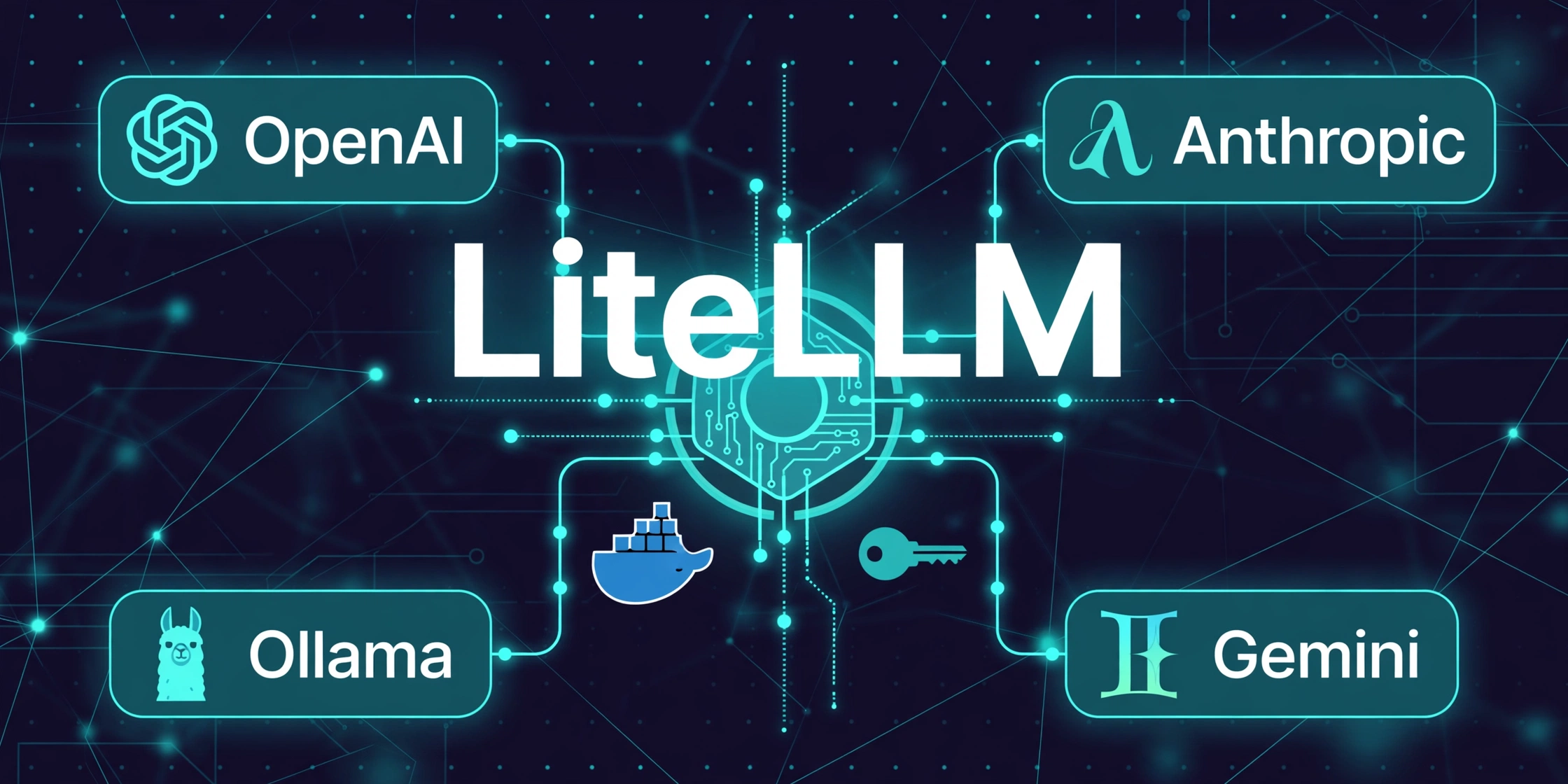
LiteLLM: One OpenAI-Compatible API for 100+ Models
Evidence: LAB_VERIFIED — lab run 2026-11-21. The upgrade path and the security behaviour in the 21/11/2026 update were verified in an isolated lab (LiteLLM 1.110.2 proxy on loopback, outputs captured). The sandbox-escape exploit itself was deliberately not executed. Independent G3 review by the tech reviewer passed on 2026-11-21 (G3 92, G4 90). See Verification scope.
Opening: one key, one SDK, one invoice per agent
At month’s end, you open three API invoices at once: OpenAI for Claude Code, Anthropic for another agent, Gemini for a document summarizer. Each has its own key, SDK, and way of counting money. Then your manager asks how much the team spent on AI this month — and you cannot answer: the spend is scattered across three dashboards.
Next week, you want a cheaper model for simple tasks — but switching means changing code: a different SDK, different function names, a different request format. And when OpenAI returns a 429 in the middle of the night, the agent sits idle, with no mechanism to switch providers automatically.
LiteLLM solves exactly this problem: one OpenAI-compatible API for 100+ LLM models, plus a self-hosted proxy for load balancing, fallback, spend tracking, and per-agent or per-project keys. This guide covers both: the SDK and a Docker proxy.
What is LiteLLM?
LiteLLM (repo BerriAI/litellm) is an open-source AI Gateway, MIT-licensed for its core, letting you call 100+ LLMs — OpenAI, Anthropic, Gemini, Bedrock, Azure, Ollama and more — in one format: the OpenAI format. At check time (21/11/2026): latest release 1.110.2; the repo had about 63,200 stars at the 14/11/2026 check. Python 3.10+ required.
LiteLLM comes in two forms:
- Python SDK: a library for calling models directly — switching models means changing one name.
- AI Gateway (Proxy Server): a self-hosted server between your applications and the providers. Every agent, script, and tool calls one endpoint, the proxy handling provider selection, fallback, spend logging, and key control.
What makes LiteLLM worth using over a wrapper you write yourself: it ships with the operations layer — retry, fallback, load balancing, spend limits, per-project keys.
Security update (21/11/2026): upgrade your proxy before you harden it
The decision up front: if you run a self-hosted LiteLLM proxy, upgrade it to 1.83.14-stable or later — in practice, pin a current release such as 1.110.2 or the lts tag, with the image digest. Then check that the master key is long and random, and keep the Admin UI off the public internet. That is the whole fix; the rest of this section explains why and how to verify it.
What happened
In April 2026, three flaws were found in the LiteLLM proxy, all rated CVSS 3.1 8.8:
| CVE | What it is | Fixed in |
|---|---|---|
| CVE-2026-40217 | Guardrail sandbox escape: POST /guardrails/test_custom_code ran user-supplied Python in a hand-rolled sandbox; a bytecode-level escape gave arbitrary code execution in the proxy process — root in the default Docker image | 1.83.11 (advisory text; package metadata lists 1.83.10 as first patched) |
| CVE-2026-47102 | Privilege escalation: a user could change their own user_role through /user/update or /user/bulk_update | 1.83.10 |
| CVE-2026-47101 | allowed_routes bypass: an authenticated internal user could create API keys with access to routes their role does not permit, via /key/generate or /key/update | 1.83.14-stable |
Chained together, a low-privilege user could escalate to proxy admin and then reach the guardrail endpoint. The chain matters because the guardrail endpoint is where code execution happens. CISA added only CVE-2026-40217 to its Known Exploited Vulnerabilities catalog on 2026-11-18 (federal due date 2026-12-02); CVE-2026-47101 and CVE-2026-47102 are not in KEV. Exploitation of CVE-2026-40217 in the wild is confirmed — that is why it is in KEV — but no confirmed victim compromise report was found, so this article names no victims and claims none.
The fix replaced the hand-rolled regex sandbox with RestrictedPython: custom guardrail code is now compiled with compile_restricted, which blocks dunder access and rejects import, exec, and eval. The lab confirmed this in the installed 1.110.2 code.
The version question, resolved
The original version of this article (14/11/2026) cited v1.109.1 as the latest release. That is the same version line as the 1.83.x fix releases — not a different product or scheme. PyPI confirms one line: 1.83.10 (19/04/2026), 1.83.11 (22/04/2026), 1.83.14 (26/04/2026), … 1.109.1 (12/11/2026), latest 1.110.2 (21/11/2026). Anyone already on 1.109.1 was already patched against the full chain. If you are on 1.83.10 alone, you are not: it closes CVE-2026-40217 and CVE-2026-47102, but the full chain needs 1.83.14-stable.
Check your version — not from the UI
The running proxy does not expose its version anywhere we could find: not at /health, not at /version (404), not at /api/version (404), and not in the Admin UI HTML or its JavaScript chunks. The lab checked all of them on 1.110.2. So do not go looking for a version field in the UI — check the pinned image instead:
docker image inspect ghcr.io/berriai/litellm:1.110.2 --format '{{.RepoDigests}}'For a pip install, pip show litellm reports the version. If you cannot tell which version you run, treat the proxy as unpatched and upgrade.
Upgrade
Pin a fixed release instead of latest. Note the tag spelling: the Docker tag is v1.83.14-stable, with a v prefix — ghcr.io/berriai/litellm:1.83.14-stable (no v) returns 404. The lab verified the tags against the registry. For a current deployment, pin 1.110.2 with its digest (observed in the lab on 21/11/2026):
docker pull ghcr.io/berriai/litellm:1.110.2@sha256:ef798594ca3db8d81bad2e1439f536f49b71fe095ee9f20416f5e149b4e22035Or use the lts tag, which points at the latest LTS release. If you install with pip instead of Docker, the proxy extras are required — plain pip install litellm cannot start the proxy:
pip install 'litellm[proxy]==1.110.2'After the upgrade, verify the proxy starts and the guardrail endpoint is auth-gated. Without any key, the endpoint must answer 401 — the lab observed exactly this on 1.110.2:
curl -X POST http://127.0.0.1:4000/guardrails/test_custom_code \
  -H 'Content-Type: application/json' \
  -d '{"custom_code":"def apply_guardrail(inputs, request_data, input_type):\n    return allow()","test_input":{"texts":["hello"]},"input_type":"request"}'
# {"error":{"message":"Authentication Error, No api key passed in.","type":"auth_error","param":null,"code":"401"}}
With the master key and benign guardrail code, the same endpoint returns the guardrail decision — the lab observed {"success":true,"result":{"action":"block","reason":"SSN detected"}} for a test input containing an SSN pattern. That is the fixed behaviour: the endpoint works for its intended purpose, but only for callers holding a proxy-admin credential. The endpoint is not unauthenticated in default configurations; the realistic way in is a weak or default master key, so the master key is the control that matters most.
Harden after the upgrade
- Master key: long, random, stored in a password manager. It is both the Admin UI password and the admin key. If yours is short or a default like
sk-1234, rotate it now. - Non-root image: the default image runs as root. A
litellm-non_rootvariant exists and runs as UID 65534; use it if your deployment allows it. - If you cannot upgrade immediately: block
POST /guardrails/test_custom_codeat your reverse proxy or API gateway — the workaround from the LiteLLM advisory. This is advisory-verified; the lab did not deploy a reverse-proxy rule, so treat the exact rule syntax as your proxy’s documentation, not as a lab-tested step. - Keep the proxy off the public internet: bind
127.0.0.1only, or put it behind a reverse proxy with auth or a VPN/tunnel. The proxy holds every provider’s API keys.
Architecture: one front door
flowchart LR
    A[Agent / App] --> B[LiteLLM Proxy\n:4000]
    B --> C[Router\nfallback - retry]
    C --> D[OpenAI]
    C --> E[Anthropic]
    C --> F[Gemini]
    C --> G[Local Ollama]
    B --> H[(PostgreSQL\nkeys - spend logs)]
    B --> I[Admin UI]
The agent calls the proxy with the OpenAI API, without knowing which model sits behind it. The router picks a deployment, retries on failure, switches to a backup when the primary provider is down, and records every request’s cost in PostgreSQL. The Admin UI lets you add models, create keys, and check spend without a config file.
Install and call a model with the SDK
Try LiteLLM with the Python SDK:
pip install litellmOr with uv:
uv add litellmCalling a model takes one function, completion — switching providers means changing the model name:
from litellm import completion
import os

os.environ["OPENAI_API_KEY"] = "sk-..."
os.environ["ANTHROPIC_API_KEY"] = "sk-ant-..."

#OpenAI
response = completion(
    model="openai/gpt-4o",
    messages=[{"role": "user", "content": "Summarize this log in 3 lines."}],
)

#Anthropic — same function
response = completion(
    model="anthropic/claude-sonnet-4-20250514",
    messages=[{"role": "user", "content": "Summarize this log in 3 lines."}],
)

print(response.choices[0].message.content)
Model names follow provider/model. Your code is no longer tied to one vendor: to try a cheaper model, change one string. In my view, this is LiteLLM’s best feature — it separates the model choice from the code.
Self-host the proxy with Docker
The SDK is enough for a personal script. When the whole team uses it, or you want centralized spend control, the proxy is where the value is — fastest via Docker Compose. Download the official quickstart compose file, glance through it to confirm it only runs the proxy and PostgreSQL, then start it:
curl -sSLO https://github.com/BerriAI/litellm/raw/main/litellm/deploy/docker/docker-compose.quickstart.yml
printf 'LITELLM_MASTER_KEY=sk-%s\nLITELLM_SALT_KEY=sk-%s\n' "$(openssl rand -hex 32)" "$(openssl rand -hex 32)" > .env
docker compose -f docker-compose.quickstart.yml up -d
The compose file runs the proxy on port 4000 with PostgreSQL. The two keys in .env have different roles:
LITELLM_MASTER_KEY: the admin key, also the Admin UI password.LITELLM_SALT_KEY: encrypts provider API keys entered through the UI. No in-place rotation — changing it later makes stored credentials unreadable until re-entered.
Open the Admin UI at http://localhost:4000/ui, log in as admin with the master key. In Models + Endpoints, pick a provider, paste its API key, click Test Connect, then Add Model — it appears with pricing mapped.
Without a database — no model management in the UI, virtual keys, or spend tracking — run the proxy from a plain config file:
#litellm_config.yaml
model_list:
  - model_name: gpt-4o
    litellm_params:
      model: openai/gpt-4o
      api_key: os.environ/OPENAI_API_KEY
  - model_name: claude-sonnet
    litellm_params:
      model: anthropic/claude-sonnet-4-20250514
      api_key: os.environ/ANTHROPIC_API_KEY
export OPENAI_API_KEY=<redacted>
export ANTHROPIC_API_KEY=<redacted>
export LITELLM_MASTER_KEY="sk-<a-long-random-key>"
docker run \
-v "$PWD/litellm_config.yaml:/app/config.yaml:ro" \
-e OPENAI_API_KEY \
-e ANTHROPIC_API_KEY \
-e LITELLM_MASTER_KEY \
-p 127.0.0.1:4000:4000 \
docker.litellm.ai/berriai/litellm:latest \
--config /app/config.yamlTwo notes. First, provider keys always go through environment variables (os.environ/...), never hardcoded in the config file. Second, the port binds only 127.0.0.1 — the proxy listens locally only. See the security section for why not to open it up.
Third, do not run latest in production: pin a tested release tag with its digest, as shown in the security update — for example ghcr.io/berriai/litellm:1.110.2@sha256:ef798594ca3db8d81bad2e1439f536f49b71fe095ee9f20416f5e149b4e22035.
Once the proxy runs, any OpenAI SDK client can call it via base_url:
curl http://localhost:4000/v1/chat/completions \
  -H "Authorization: Bearer <your-virtual-key>" \
  -H "Content-Type: application/json" \
  -d '{
    "model": "gpt-4o",
    "messages": [{"role": "user", "content": "Say hello in five words."}]
  }'
Fallback, retry, and load balancing
This sets LiteLLM apart from a simple pass-through proxy: when the primary provider fails, it switches to a backup model in the order you define — three fallback types:
fallbacks: all remaining errors, such as rate limit 429 or server 500 errors.content_policy_fallbacks: when a provider refuses a request over a content policy violation.context_window_fallbacks: when a prompt exceeds the model’s context window.
Declare them in the config file:
model_list:
  - model_name: chat-fast
    litellm_params:
      model: openai/gpt-4o
      api_key: os.environ/OPENAI_API_KEY
  - model_name: chat-backup
    litellm_params:
      model: anthropic/claude-sonnet-4-20250514
      api_key: os.environ/ANTHROPIC_API_KEY

litellm_settings:
  num_retries: 3
  request_timeout: 10
  fallbacks: [{ "chat-fast": ["chat-backup"] }]

router_settings:
  allowed_fails: 3
  cooldown_time: 30
Reading this config: each request retries up to 3 times on the primary model, with a 10-second timeout per attempt; if it still fails, it falls back to chat-backup. A deployment failing more than 3 times enters a 30-second cooldown with no new requests.
Load balancing is simpler: declare the same model_name with several deployments (two API keys, two regions) and the router splits requests. Every fallback is logged with attempted_fallbacks and original_model_group, so you can tell which requests the primary model served and which the fallback served.
Spend tracking and virtual keys
A virtual key is what you hand to applications and teammates instead of a real provider key. Each key can carry its own budget, rate limits, and model access, with all spend tracked automatically. Create a key in the Admin UI under Virtual Keys — shown only once, so copy it right away.
One important limit: virtual keys and budget enforcement both need a database. Without one, max_budget has no effect — the proxy keeps serving requests past the budget with no error, only a warning at startup. For real limits, run with a database or set limits at the provider.
For a small team, I recommend one virtual key per agent or project, each with a monthly budget. When your manager asks where the AI money went, the spend log has the answer per key.
Using LiteLLM with AI agents
LiteLLM shines brightest for this blog’s readers as a gateway for coding agents. Instead of each agent holding its own keys and calling providers directly, route them all through the proxy: change models, change providers, limit spend — all in one place.
LiteLLM also ships agent harnesses: litellm.agent runs Claude Code, Codex, OpenCode, pi, or Deep Agents on any model through your proxy:
import litellm
from litellm import Harness, sandbox

result = litellm.agent(
    Harness.CLAUDE_CODE,
    "Find why tests/test_router.py is flaky and fix it.",
    sandbox=sandbox.local("./repo"),
    model="litellm_proxy/claude-sonnet-4-5",
)
print(result.text, result.cost)
Set LITELLM_PROXY_API_BASE and LITELLM_PROXY_API_KEY and every model call goes through your gateway. Compare with CC Switch, which only switches providers for Claude Code — LiteLLM is a multi-model gateway for every agent and app, while Agent Autoloop runs agents in the background on a schedule, not model calls. The three tools complement each other. For security scanning of agent code, see OpenAI Codex Security.
Quick comparison
| Criteria | LiteLLM Proxy | CC Switch | DIY wrapper |
|---|---|---|---|
| Providers | 100+ | Claude Code only | Yours |
| Fallback | Yes, 3 types | No | DIY |
| Spend tracking | Yes, per key | No | DIY |
| Virtual keys | Yes | No | DIY |
| Agent scheduling | No | No | No |
| Setup | Docker Compose | Light, CLI | Varies |
Pros and cons
Pros:
- One API for 100+ models; switching models means changing a string, not rewriting code.
- A self-hosted proxy with full operations tooling: fallback, retry, load balancing, virtual keys, spend tracking.
- An Admin UI is included.
- Open-source MIT, a large community, frequent releases (1.110.2 landed by 21/11/2026).
Cons:
- One more layer: if the proxy goes down, every agent stops with it, so run it reliably and plan a backup.
- Full features (virtual keys, budget enforcement) need a database — the plain config-file mode is limited.
- The project moves very fast, so docs and behavior can change between releases — pin a version for production.
Security: do not expose the proxy to the internet
The LiteLLM proxy holds every provider’s API keys. Exposing it to the internet without auth is the same as giving those keys away. Minimum rules:
- Bind only
127.0.0.1locally. To use it from another machine, put it behind a reverse proxy with auth or a VPN/tunnel — never expose port 4000. - The master key must be long, random, and stored in a password manager — it is both the Admin UI password and the admin key.
- Generate the salt key once and keep it — changing it makes stored credentials unreadable.
- Provider API keys always go through environment variables. Never hardcode them in config files, never commit
.env. - For production, pin the image to a tested release tag with its digest — 1.83.14-stable or later, in practice a current release such as 1.110.2 or the
ltstag. Remember the tag spelling:v1.83.14-stable, with avprefix. - The running version is not shown in the Admin UI or any API endpoint — check the pinned image tag/digest (
docker image inspect) orpip show litellm. - Prefer the
litellm-non_rootimage variant (runs as UID 65534) over the default image, which runs as root.
Common issues
Proxy returns 401 or model not found. Requests need a valid master or virtual key in the Authorization: Bearer <redacted> header; if a model’s provider key is wrong, check it with Test Connect. The model name in the request must match model_name in the config, not the provider’s original name.
Fallback does not run. Check that fallbacks uses the correct model_name and the backup model has a valid key. Fallback only triggers after num_retries on the primary model is exhausted.
Lessons learned
- One standard API for every model beats optimizing each SDK separately: switching models becomes changing one string.
- A gateway only pays off when it sits between every agent and every provider — one tool calling a provider directly leaves a hole in spend and fallback data.
- Test fallbacks before you need them: simulate a provider failure in a test environment to confirm the chain works, instead of discovering a bad config in a real outage.
- Budgets only work with a database attached — do not trust a
max_budgetnumber in a config file without one. - Keys must go through environment variables and the proxy must sit behind auth: the gateway holds every provider’s keys, so it is the asset most worth protecting.
- A gateway’s version is an operational fact, not a UI field: if you cannot read the version from the deployment, you cannot prove you are patched — pin the image tag and digest.
Verification scope
Check date: 21/11/2026 (original check 14/11/2026). Verified against LiteLLM’s official README, docs, and the BerriAI/litellm repo: version 1.110.2 (21/11/2026), MIT core license, Python 3.10+, SDK install, Docker quickstart, config format, three fallback types, master/salt key roles, database-less limits. “100+ providers” is the project’s own wording; stars are a snapshot (about 63,200 at the 14/11/2026 check).
Lab verification (21/11/2026, 12:48–13:20 +07, isolated sandbox, loopback only): LiteLLM 1.110.2 was run from a pip venv (litellm[proxy]==1.110.2) on 127.0.0.1:4000 because Docker containers cannot run on the lab VM (capability restrictions); image pull, inspect, and registry tag checks ran against the real image ghcr.io/berriai/litellm:1.110.2 (digest sha256:ef798594ca3db8d81bad2e1439f536f49b71fe095ee9f20416f5e149b4e22035). Observed and captured: liveliness and readiness both HTTP 200; POST /guardrails/test_custom_code without a key returns HTTP 401; with the master key and benign guardrail code it returns HTTP 200 with {"action":"block","reason":"SSN detected"}; the default image runs as root, the litellm-non_root variant as UID 65534; the version is exposed by no endpoint or UI (/version and /api/version both 404); the Docker tag is v1.83.14-stable (with v), the tag without v returns 404; the installed code uses RestrictedPython compile_restricted for custom guardrail code. The sandbox-escape exploit itself was deliberately not executed, and no reverse-proxy block rule was deployed in the lab. The 14/11/2026 version of this article did not install or run the SDK and proxy by hand — commands were only cross-checked in format against the official docs. “8ms P95” is the project’s own benchmark and is not used here.
References
- LiteLLM README — https://github.com/BerriAI/litellm
- Docker quickstart — https://docs.litellm.ai/docs/proxy/docker_quick_start
- Fallbacks — https://docs.litellm.ai/docs/proxy/reliability
- Supported providers — https://docs.litellm.ai/docs/providers
- CVE-2026-40217 advisory (BerriAI/litellm) — https://github.com/BerriAI/litellm/security/advisories/GHSA-wxxx-gvqv-xp7p
- NVD CVE-2026-40217 / CVE-2026-47101 / CVE-2026-47102 — https://nvd.nist.gov/vuln/detail/CVE-2026-40217
- CISA Known Exploited Vulnerabilities catalog — https://www.cisa.gov/sites/default/files/feeds/known_exploited_vulnerabilities.json
- PyPI litellm releases — https://pypi.org/project/litellm/
Bình luận
Bình luận được duyệt trước khi hiển thị.Đang tải bình luận…
Để lại bình luận