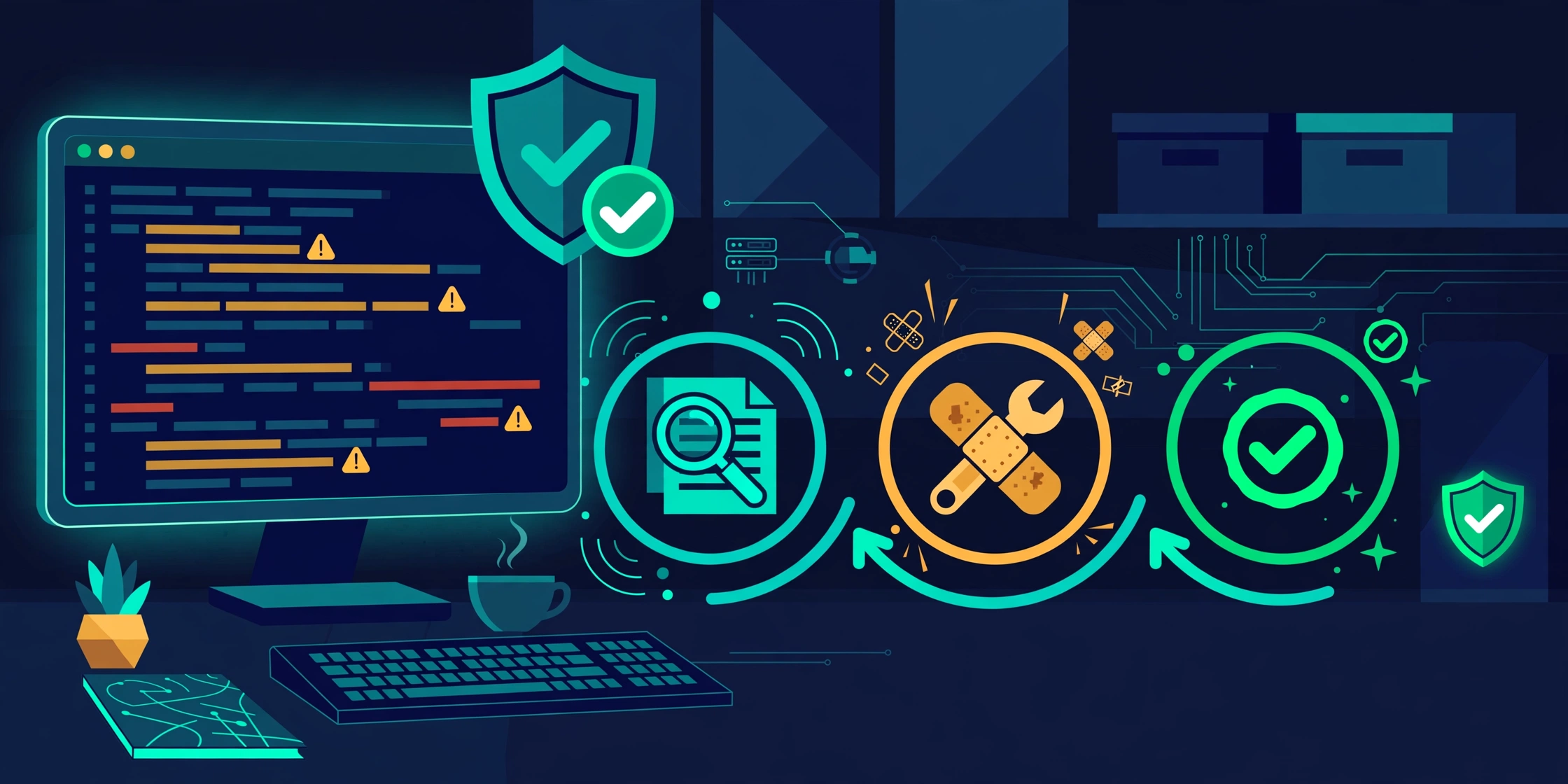
OpenAI Codex Security: Scan, Patch, and Re-Verify Flaws
You run a scanner on your repo and get 200 findings. How many are real? Which ones are exploitable? You patched one — how do you know it is actually fixed? Most scanners leave those questions to you. OpenAI’s Codex Security answers all three in one loop: scan, validate, patch, then re-verify the patch itself.
What is Codex Security?
Codex Security is OpenAI’s CLI and TypeScript SDK for finding, investigating, and fixing vulnerabilities in code. The openai/codex-security repo is Apache-2.0 licensed, appeared on GitHub in July 2026, and had passed 12,000 stars by the afternoon of November 12, 2026 — the day it appeared on GitHub Trending alongside Cloudflare’s security-audit-skill.
The tool has four faces: a Codex plugin, the cs CLI, a TypeScript SDK, and a GitHub Action. It does not only find vulnerabilities — it validates each finding, generates a patch, and verifies the patch: the full lifecycle of a finding.
It must be distinguished from the Cloudflare Security Audit Skill published on October 25: Cloudflare’s skill is markdown, six phases, running on your own agent — the agent that finds a bug is never the one that confirms it — and it never edits code. Codex Security is OpenAI’s packaged product: a CLI, an SDK, an Action, and it patches code and re-verifies the patch. Same philosophy — separate the proposer from the judge — but one is a skill you operate yourself, the other a product with a closed loop.
The security series on this blog is heading exactly there: Project Glasswing found 37,966 bugs with only 217 fixed.
The loop: scan, validate, patch, verify
A finding in Codex Security goes through four steps, each its own workflow:
flowchart TD
    User["You / CI<br/>request a repo scan"]
    Scan["$security-scan<br/>cs scan . — Standard scan"]
    Findings["Candidate findings"]
    Triage["$triage-finding<br/>cs validate — validate each finding<br/>against source evidence"]
    Patch["$fix-finding<br/>cs patch — generate a patch"]
    Verify["$verify-fix<br/>cs verify-fix — re-verify the patch"]
    Verdict["fixed / still_vulnerable / inconclusive"]
    Report["Report + SARIF / JSON / CSV"]
    Deep["$deep-security-scan<br/>cs scan . --mode deep"]

    User --> Scan
    Scan --> Findings
    Findings --> Triage
    Triage --> Patch
    Patch --> Verify
    Verify --> Verdict
    Verdict --> Report
    Scan -.-> Deep
    Deep --> Findings
A Standard scan (cs scan .) is the default: the agent reads the repo, finds vulnerabilities, and saves a report. A Deep scan (cs scan . --mode deep) repeats Standard scans and returns deduplicated findings. A diff scan (cs scan . --diff origin/main) only reviews changes from a base revision to HEAD — fitting pull request review.
Validation is where the tool differs from a plain scanner: $triage-finding checks each finding against source code and returns a verdict with any missing evidence; from the terminal, cs validate findings.json does the same for findings you have. Patching ($fix-finding, cs patch --scan SCAN_ID) generates a patch for a specific finding. Verification ($verify-fix, cs verify-fix --scan SCAN_ID) returns fixed, still_vulnerable, or inconclusive — with evidence, no vague “handled” state.
Two supporting workflows are worth noting. $check-skills reviews a downloaded agent skill before you install it, returning PASS, REVIEW, BLOCK, or INCOMPLETE — the same idea as NVIDIA’s SkillSpector, built into this toolset. $resolve-dependency-alert investigates an existing dependency alert, tracing the dependency and proposing an upgrade or dismissal where the evidence supports one. Note the nuance: it handles alerts you already have; it does not scan dependencies for new CVEs — detecting those still needs a dedicated scanner such as Dependabot or Snyk.
Beyond scanning, the tool drafts SECURITY.md (cs policy .), saves threat models (cs export --scan SCAN_ID --artifact threat-model), imports third-party scanner results, and tracks findings in Linear, Jira, or GitHub — scan history stored locally with deduplication.
Install and first scan
Requirements: Node.js 22.13.0+ in the 22.x line, or 24.x / 26.x, and Python 3.10+ (Python 3.10 needs tomli). Install and first scan:
npm install --global @openai/codex-security
cs login
cs scan .
When the scan completes, open the Markdown file at the REPORT path printed in the terminal; cs scans show finds the latest completed scan again. cs and codex-security are the same CLI — use the long name on conflict, npx @openai/codex-security on an npm EEXIST conflict.
Scan options worth remembering:
# Scan selected paths.
cs scan . --path src --path tests

# Scan committed changes.
cs scan . --diff origin/main

# Deep scan.
cs scan . --mode deep
Decide cost before scanning a large repo: --max-cost on the CLI or maxCostUsd in the SDK — for the limit to be enforced, pick a model with built-in pricing. scan --dry-run shows the resolved limit; the docs state plainly that in-flight requests can exceed it. The GitHub Action example uses an estimated $5 limit per scan — a configuration example, not a measured cost.
Scan exit codes separate three states cleanly for CI: 0 is clean, 1 means findings above your --fail-on-severity threshold, and 2 is an execution failure — your CI only needs the exit code to decide whether to block or pass.
The default scan model, per the official CLI docs, is gpt-5.6-sol with effort xhigh, changeable with --model and --effort. The docs also mention GPT-6.1 Sol, GPT-6.1 Terra, and GPT-6 Luna in the Vertex AI pricing section — scans with those models need a published price before --max-cost applies. GPT-6.1 Sol is a real model already in OpenAI’s own docs, consistent with what this morning’s OpenAI leaves Cursor article verified.
Into CI: blocking PRs by severity
Manual scanning is only the first step — the real value is in CI. The sample weekly workflow on GitHub-hosted Ubuntu:
- Add an OpenAI API key as the repository secret
CODEX_SECURITY_API_KEY. - Copy the sample workflow to
.github/workflows/codex-security.ymland replaceREPLACE_WITH_REVIEWED_COMMITwith the reviewed distribution commit SHA from an Action release.
The sample workflow reports findings without failing the job. To block, set a severity threshold, add pull request checks, or set runner requirements — the Action guide covers it. For headless machines, use device or SSH login; in CI, set OPENAI_API_KEY or CODEX_API_KEY.
Output formats are pipeline-ready: SARIF, JSON, and CSV — SARIF lets GitHub code scanning show findings in the repo interface. Combined with severity-based exit codes, you get a real PR gate: severe findings block the merge, minor ones go into the report.
Before and after: listing scanner vs. closed-loop tool
| Aspect | Traditional scanner | Codex Security |
|---|---|---|
| Find vulnerabilities | Lists findings | Standard, Deep, and diff scans |
| Validate findings | You filter them yourself | $triage-finding / cs validate, checked against source |
| Patch | You write the patch yourself | $fix-finding / cs patch generates it |
| Verify the patch | You re-check it yourself | $verify-fix returns fixed / still_vulnerable / inconclusive |
| Block PRs in CI | Depends on integration | Exit codes 0/1/2 + --fail-on-severity, SARIF |
| Cost limits | No such concept | --max-cost / maxCostUsd, dry-run preview |
| Track findings | Scattered report files | Stored locally, deduplicated, Linear/Jira/GitHub |
This table compares verified features from the official docs, not effectiveness benchmarks — the official docs publish no effectiveness numbers. Figures from secondary sources (detection rates, small-repo scan costs, false-positive rates) could not be cross-checked against the README or official docs, so they were cut entirely.
Three limits to know before using it
First, not everyone can scan right away. Scans using OpenAI inference require Codex Security access, according to the docs page. Some cybersecurity requests and protected findings need Trusted Access for Cyber; accounts with Daybreak access can opt in to Daybreak to select an access program. Check your own account’s access before wiring it into CI.
Second, code leaves your machine. Scans run on OpenAI inference — your code is sent away for analysis under the OpenAI API terms. For repos with trade secrets or sensitive data, consider that: use another supported provider (Bedrock, OpenRouter, Fireworks AI, Cheaper Inference, Vertex AI) or limit the scope with --path.
Third, the tool is pre-1.0 and does not replace every scanner. Latest release: v0.10.0 (November 12, 2026). It scans code in the repo; it does not scan dependencies for new CVEs by itself — $resolve-dependency-alert only investigates alerts you already have. Dependabot or Snyk is still needed to detect dependency CVEs, with Codex Security investigating and patching from those alerts. As with any pre-1.0 tool, the CLI surface can change between releases — pin a version in CI instead of installing latest.
When to use it, when not to
Codex Security fits best when your team already uses Codex and wants security scanning in CI with patching and ticket tracking. It also fits when you are tired of scanners reporting findings of unknown truth.
It does not fit for a small repo and one quick scan — install, login, and access checks cost more time than the scan itself. It does not fit when code must not leave your machine and you have no alternative provider, or when the team has no process for handling findings: the tool returns patches and verification results, but who reviews a patch and decides to merge is still the team’s job.
In my view, the most notable point is not “AI scans code” but the closed loop: a finding only counts as done when its patch returns fixed with evidence. That is also the lesson from Glasswing: finding bugs is easy; fixing them and proving it is the hard part.
Lessons learned
- A scanner that only lists findings has not finished the job — validation, patching, and patch verification decide it.
- Separate the proposer from the judge: the agent that finds a bug should not be the one confirming it, in a skill or a product.
- Set a cost limit (
--max-cost) before scanning a large repo — in-flight requests can exceed it; dry-run shows the resolved limit. - Exit codes 0/1/2 plus a severity threshold turn security scanning into a real PR gate, not a report nobody reads.
- Check access (Codex Security access, Trusted Access for Cyber, Daybreak) before wiring it into CI.
- A code scanner does not replace a dependency scanner — dependency alerts still need Dependabot/Snyk, with Codex Security investigating and patching from them.
Conclusion
- Codex Security closes the finding lifecycle: scan → validate → patch → re-verify, with
fixed/still_vulnerable/inconclusiveresults. - It drops into CI directly: severity-based exit codes, SARIF, and a sample workflow with a $5 per-scan cost limit.
- Three limits: Codex Security access is required, code leaves your machine when scanning through OpenAI inference, and the tool is still pre-1.0 (v0.10.0) without dependency scanning.
Next step: install the CLI, run cs scan . on a small repo, read the report and one validated finding — then decide on CI.
Verification scope
Checked on November 12, 2026 (~19:00, Vietnam time). Verified against the official README, CLI reference, and agent workflows docs of the openai/codex-security repo (12,053 stars, 955 forks, Apache-2.0, v0.10.0 released November 12, 2026) and the November 12 trending roundup (Cloudflare skill +11,507 stars/week, total 70,534; codex-security 11,921 stars at post time; Hacker News 598 points, 229 comments, July 28).
The $5 per-scan figure is a configured limit example from the sample workflow, not a measured cost. Effectiveness figures from secondary sources could not be cross-checked against the official docs and were cut. This article involved no installation or hands-on testing.
References
- OpenAI — Codex Security README (
openai/codex-security): https://github.com/openai/codex-security - OpenAI — Codex Security CLI reference: https://github.com/openai/codex-security/blob/main/sdk/typescript/docs/cli.md
- OpenAI — Security workflows in Codex: https://github.com/openai/codex-security/blob/main/docs/agent-workflows.md
- OpenAI — Codex Security docs: https://developers.openai.com/codex/security
- Medium — “AI Code Audit Agents: GitHub Trending, November 2026”: https://medium.com/@abhinav.dobhal/this-weeks-top-github-ai-repos-put-coding-agents-to-work-auditing-code-26579d841458
Bình luận
Bình luận được duyệt trước khi hiển thị.Đang tải bình luận…
Để lại bình luận